Revit plugins for your ribbon
Every tool together, for one monthly price. Nothing to buy outright, nothing to install twice — it lands as a DATUM tab in Revit.
BetaEvery version of the add-in released so far is a beta build, including the current one. The tools run on real projects every day, but they are not finished: a command can still fail, and tools can still change between versions. What they write into the model is an ordinary Revit transaction, so Ctrl+Z undoes it. Tell us what breaks — support@datumbim.com.
Revit plugins
Native add-ins · DATUM ribbon tabMonthly
Every DATUM plugin, current and future, always the newest version. One seat, paid month by month.
Cancel any time from your account page.
Yearly
The same subscription, paid a year at a time — €600 for the year, €60 less than twelve months.
Renews once a year · cancel before the renewal date.
Autosave
Saves the model on a timer, so a crash never costs hours.
Home
One key back to the project sheet, with everything else closed.
Sync Views
The same zoomed area follows you from view to view.
Tab Coloring
Every open project gets its own tab colour.
Shortcuts
Every keyboard shortcut in Revit, in one searchable pane — click one to run it.
Template Customisation
The template in your office's colours, fonts, details and logo — the whole file in one pass.
Project Library
The families already in the project, by category, with pictures — double-click to place.
Door Swings
Every door knows which way it opens — left or right, written into the door itself.
Door Specification
Specification cards for every door type, drawn into a Legend view.
Window Specification
Specification cards for every window type, drawn into a Legend view.
Curtain Wall Specification
Each curtain wall as an assembly, with its own views and a table of its panels.
Curved Curtain Wall Specification
The same for a curtain wall on an arc — unrolled, measured and tabled.
Interior Auto Dimensions
Every room dimensioned from the inside, both ways, in one click.
Exterior Auto Dimensions
The outside of the building in up to four strings per side.
Tag Doors
Smart: sees which way each door faces and puts the left or the right tag.
Tag Windows
Smart: sees which way each window faces and puts the left or the right tag.
Tag Floors
Smart: knows a floor plan from a section or an elevation and changes the tag to suit.
Tag Stairs
Run tags, tread numbers, the stairs path and landing levels in one pass.
Tag Railing
Every railing tagged on a leader from its longest run.
Tag Curtain Wall Panels
Smart: writes each panel's size, even for a trapezoid or a parallelogram.
Auto Rename Elevations
Smart: facades named from the project's True North, sheets with them.
Sections from Grids
A section cut along each chosen grid line, named after it.
Place Views on Sheets
Views laid onto sheets without dragging each one.
Rename Rooms by Furniture
Rooms named from the furniture and fixtures placed inside them.
Finishes for Every Room
Floor, wall and ceiling finishes written and scheduled from one table.
Light Norms Check
Daylight checked against the Bulgarian norms, coloured onto the plan.
Schedules Re-Design
The appearance of every schedule in one table, read as it is and changed in bulk.
Indicators — For Norms
The project's planning figures against its zone's limits, as a schedule in green and red.
Transfer Standards
Standards moved between projects without opening both by hand.
Export–Import Materials in Excel
Every material of the project in one Excel sheet — edit it there and read it back.
Sources — Save Links
The sites you download families from, kept as links inside Revit.
Norms — Saved as PDF
The Bulgarian building regulations, searchable inside Revit.
Content Catalog
All your families in one place, with thumbnails read from the files.
Rename Families
Families and types renamed to one convention across the project.
Export in DWG, PDF, RVT
Sheets, views and legends out to PDF, DWG and RVT in one run.
Custom plugin — built for your workflow
Any repetitive Revit task can become a one-click tool. Describe the pain point — we scope it, quote it, build it in C#.
Guides
From real projects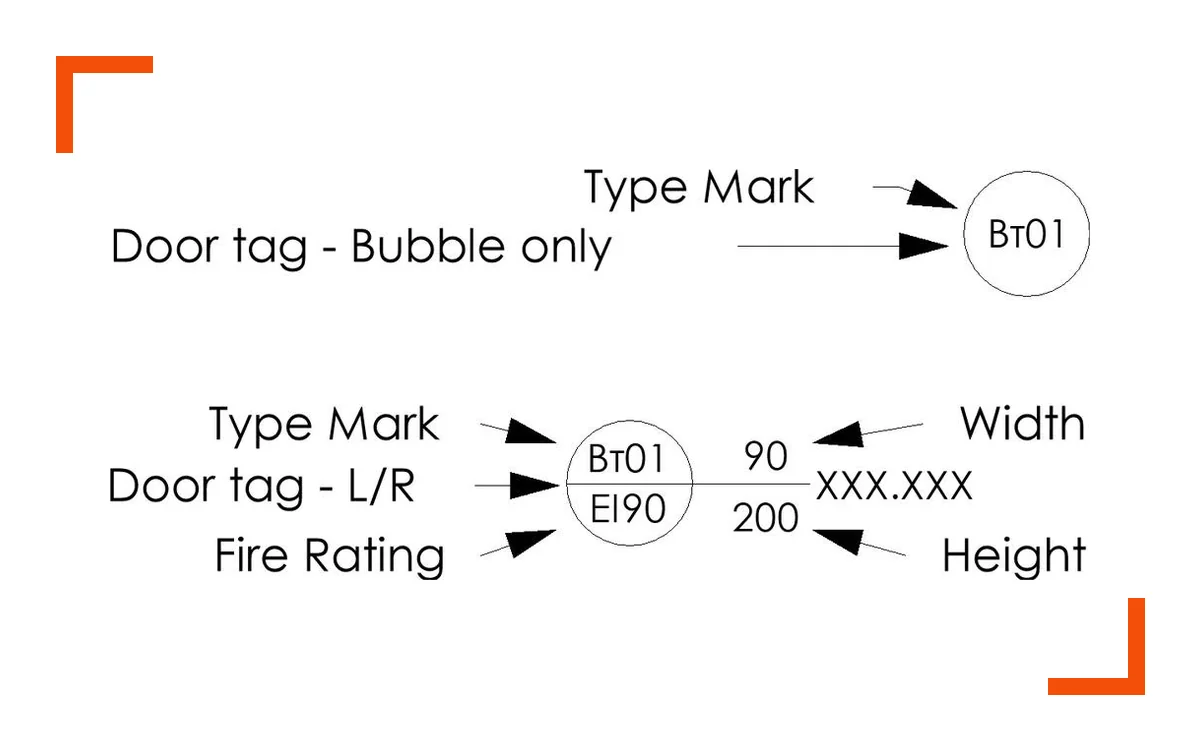 GUIDE · 7 MIN
Tag All Not Tagged in Revit: Fixes, and Tagging Every View
Why Tag All skips doors, windows and rooms, eight fixes, and how to tag thirty views at once.
Read the guide →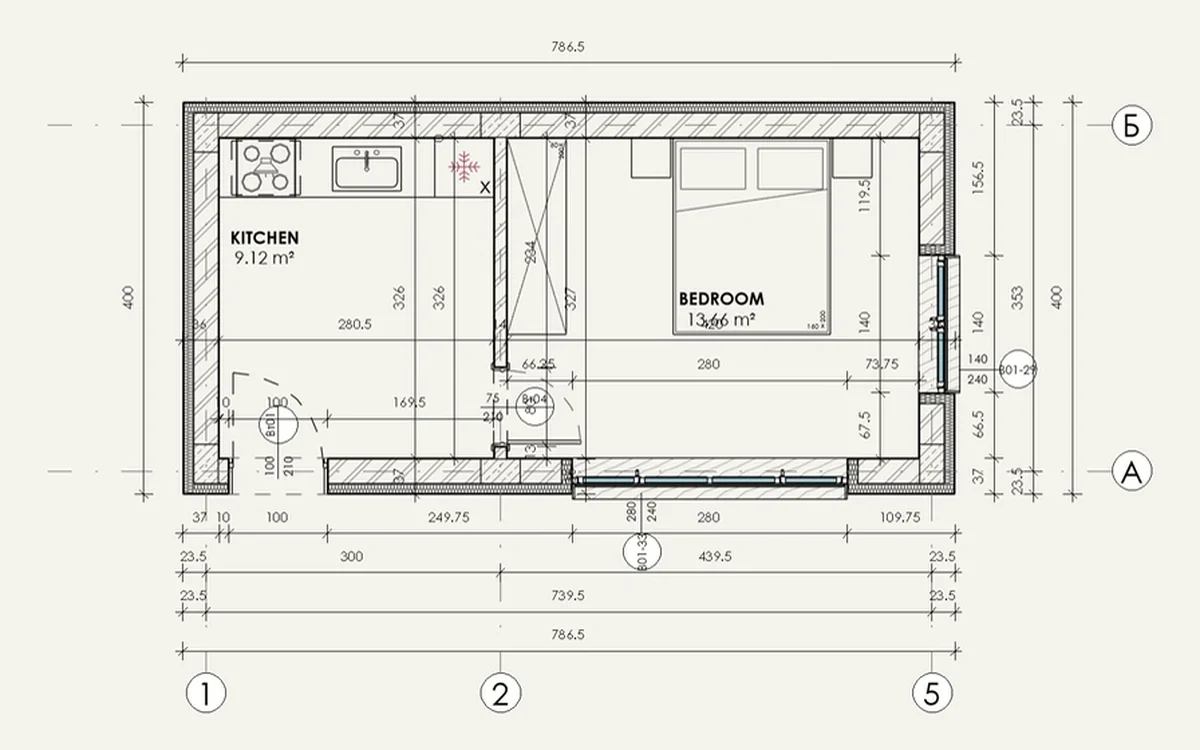 GUIDE · 7 MIN
Auto Dimensions in Revit: Every Option Compared
The built-in Entire Walls option, Dynamo scripts and add-ins — which one to use for walls, rooms and facades.
Read the guide →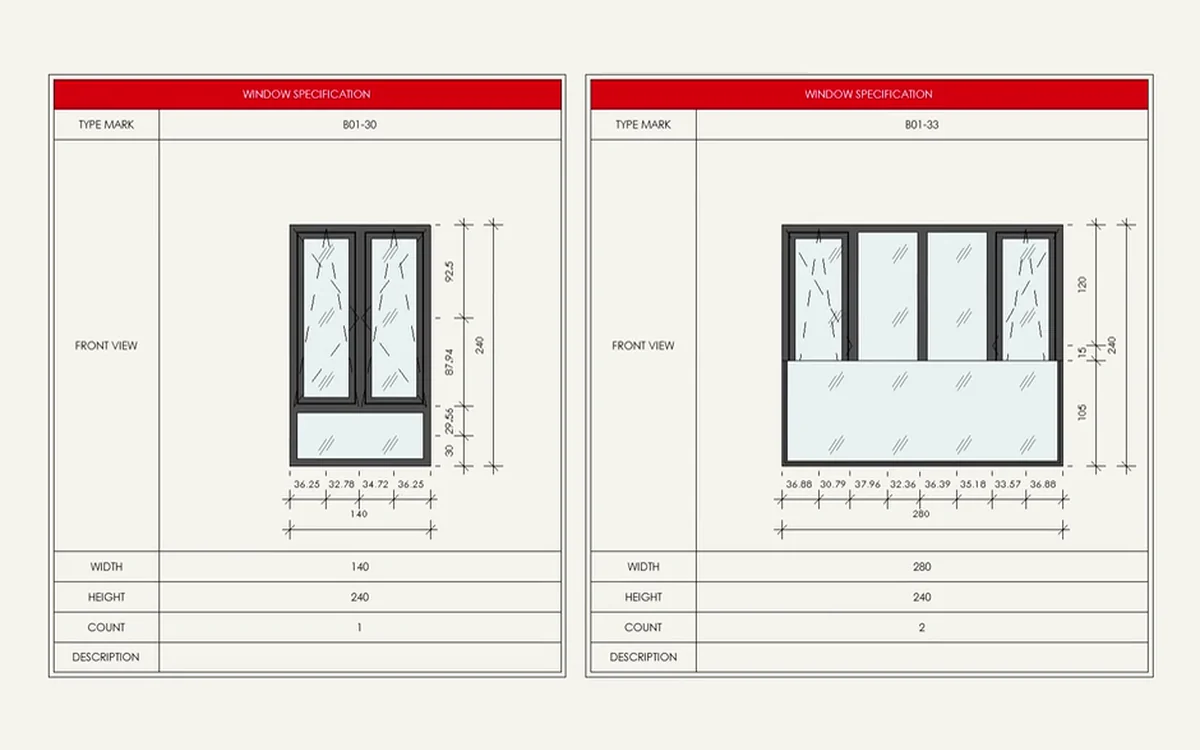 GUIDE · 8 MIN
Revit Door and Window Schedules: From Table to Sheet
Fields, sorting, type marks and formatting, and drawn specification cards with elevations.
Read the guide →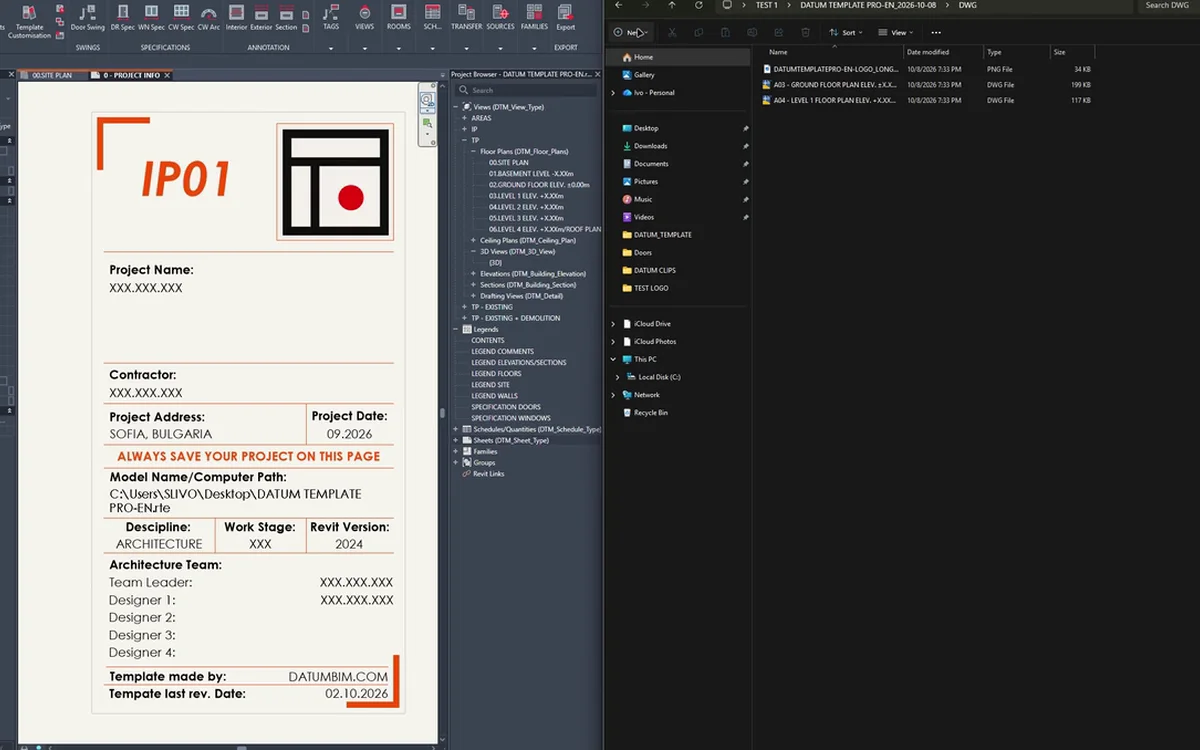 GUIDE · 7 MIN
Batch Export Revit Sheets to PDF and DWG
Sheet sets, the Revit 2022+ PDF export, DWG setups and xrefs, and all formats in one run.
Read the guide →